 Accountant
User manual
Accountant
User manual
Using AI Accountant
Ask about your finances, or describe a transaction and let AI draft it.
What you'll do: ask AI Accountant questions about your records, and have it prepare transactions for you to confirm.
You need an AI provider first. See Setting up AI Accountant.
Open the chat
Tap the + button, then AI Accountant.
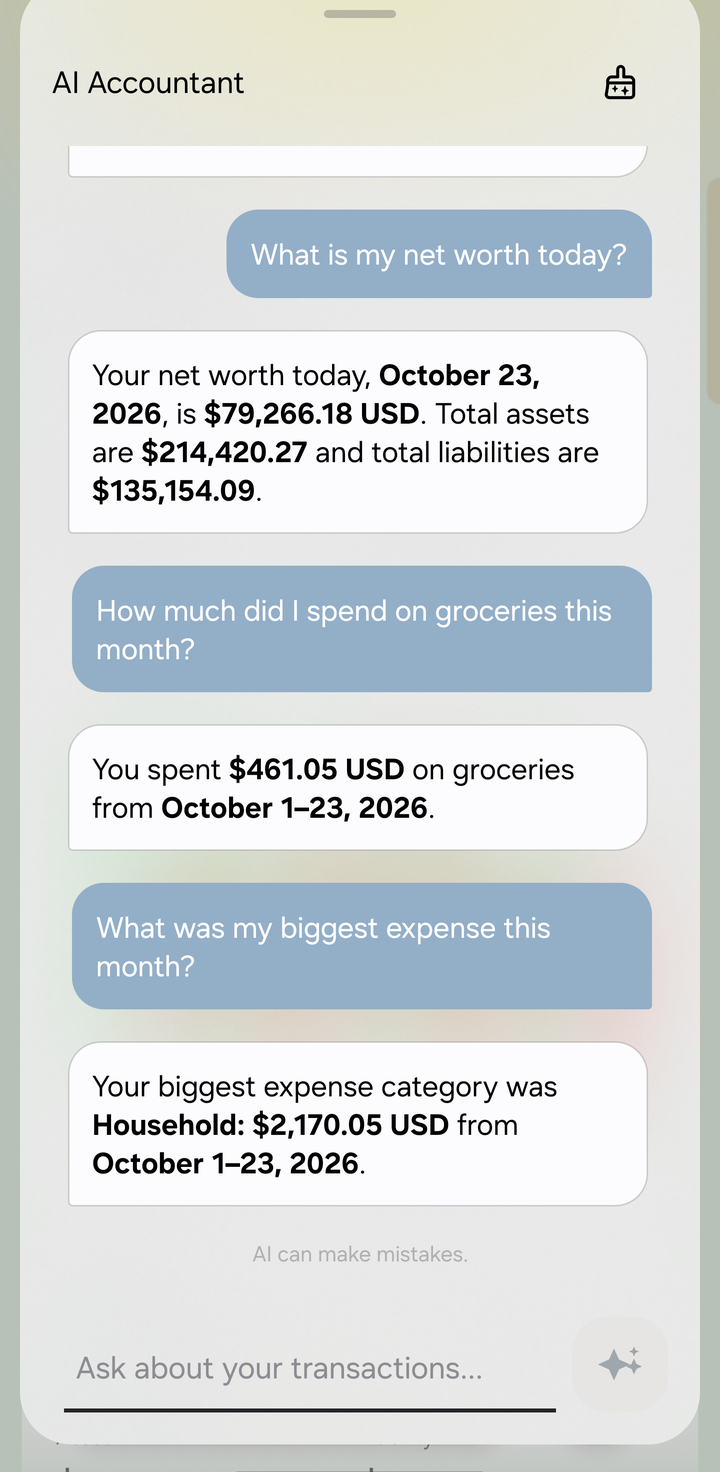
Asking AI Accountant about your finances
"Ask about your recorded transactions, or describe a transaction to create a draft."
Ask questions
Type in Ask about your transactions… and tap send. For example:
- What is my net worth today?
- How much did I spend on groceries this month?
- What was my biggest expense this month?
- Which bills are due next week?
- Am I on track with my budgets?
AI Accountant looks the figures up in your ledger and answers from them. It can read balances, transactions, categories, budgets, debts and schedules, but it can't change anything without you.
Draft a transaction
Describe what happened in plain words, for example:
- I paid 45.50 for groceries from Everyday checking
- Received my salary of 2,000 in the bank today
- Bought a jacket for 80 on my store credit card
AI Accountant prepares a draft and shows it as a card in the chat. Tap Review draft to open it in the transaction editor, check everything, and then:
- Post records it in your accounts.
- Update keeps your changes but leaves it as a draft for later.
- Discard throws it away.
Drafts you don't finish stay in Transactions › ⋮ › Drafts.
AI can make mistakes. Check the amounts, dates and accounts before you confirm. AI Accountant is a bookkeeping helper, not tax, legal or investment advice.
On-device AI
On-device models are private but slower. While they work you'll see Loading local AI… or Processing on this device…, and you can tap Stop. If replies take minutes on your phone, the chat says so and links to AI settings, where you can switch to a smaller model or a cloud provider.
Insights on Home
With AI set up, Home can show AI insights: short notes about budgets, spending trends, cash coverage and upcoming payments. With a cloud provider, tap Chat about this on an insight to continue in AI Accountant. See Home dashboard.