 Accountant
User manual
Accountant
User manual
Welcome to Accountant
Personal finance, the double-entry way.
Accountant is a personal finance app for Android, built on real double-entry accounting and made easy. It was designed by a Certified Public Accountant, so your books stay accurate without you having to think like a bookkeeper.
You say what happened (you paid for something, received money, moved money or bought on credit) and Accountant records both sides of the entry. Your accounts always balance, your net worth is real, and your reports can be trusted.
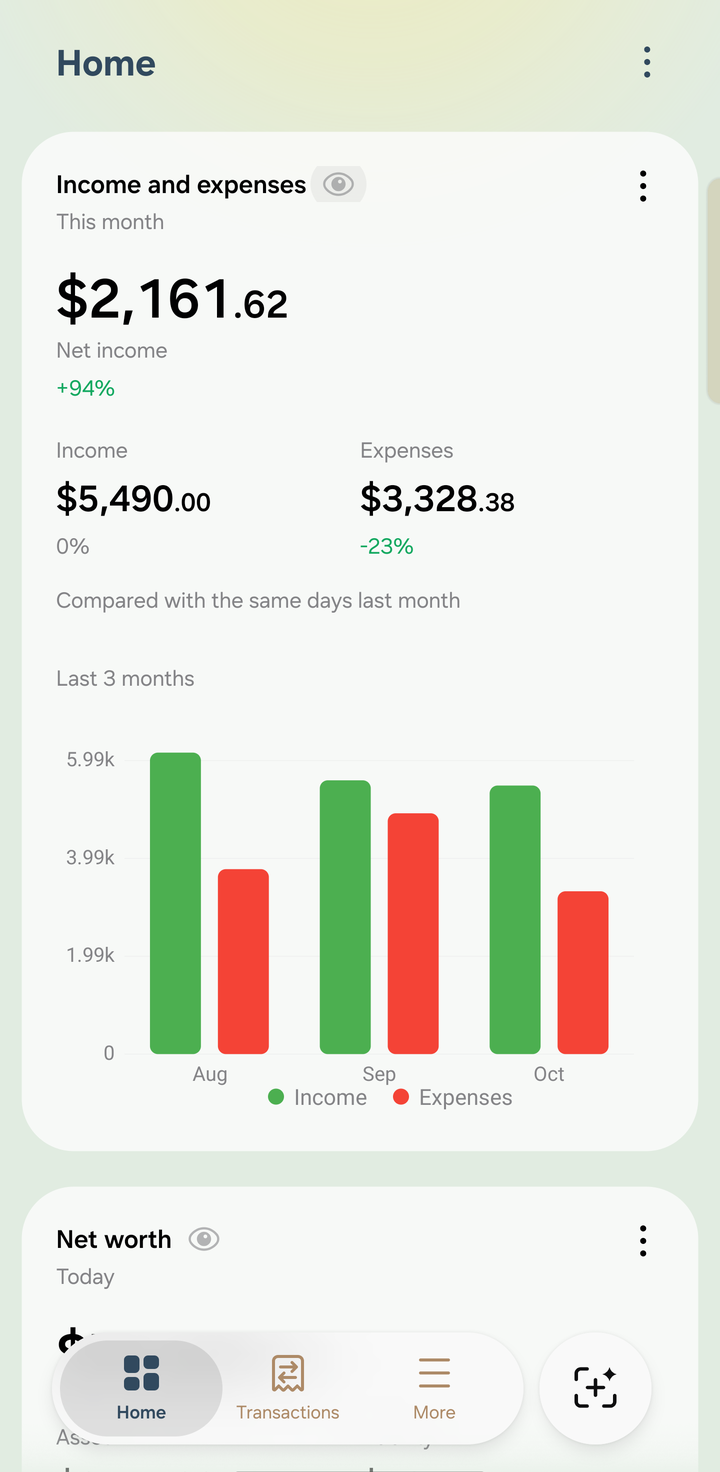
The Home screen
Start here: the three basics
Three ideas make everything in Accountant click:
- Your money in one equation: total assets = total liabilities + net worth.
- The account structure: account type › account category › account. A category groups accounts; it isn't an account itself.
- Six kinds of transactions: pick what happened, and Accountant records both sides for you.
Then get set up
Try the demo first
During setup you can turn on Add demo data. It fills the app with a few months of realistic records, so you can explore every screen before entering your own:
- a salaried person who rents an apartment
- emergency savings, a personal loan and a condo mortgage
- several credit cards: one overdue, one due soon and one paid in full
- overseas freelance work paid in foreign currencies, travel cash and a small crypto holding
- budgets, scheduled bills and upcoming payments
The demo is illustrative data, not advice about typical incomes or prices. When you're ready, remove it in Settings › Remove demo data. See First setup.
Popular guides
- The six transaction types: which shortcut to use, and what it records
- Scanning receipts
- Credit cards and loans
- Setting up AI Accountant
- Sync across devices and sharing a ledger
- Importing from another app
Need help?
Check the FAQ, or email [email protected]. You can also tap Settings › Contact us in the app.