 Accountant
User manual
Accountant
User manual
Setting up AI Accountant
Choose an on-device or cloud AI provider for AI Accountant, receipt reading and insights.
What you'll do: pick an AI provider so you can chat with AI Accountant, read receipts with AI, and see AI insights on Home.
AI is optional. Without it, everything else in Accountant works, and receipts use a basic on-device reader.
Choose a provider
Open Settings › AI features › AI provider.
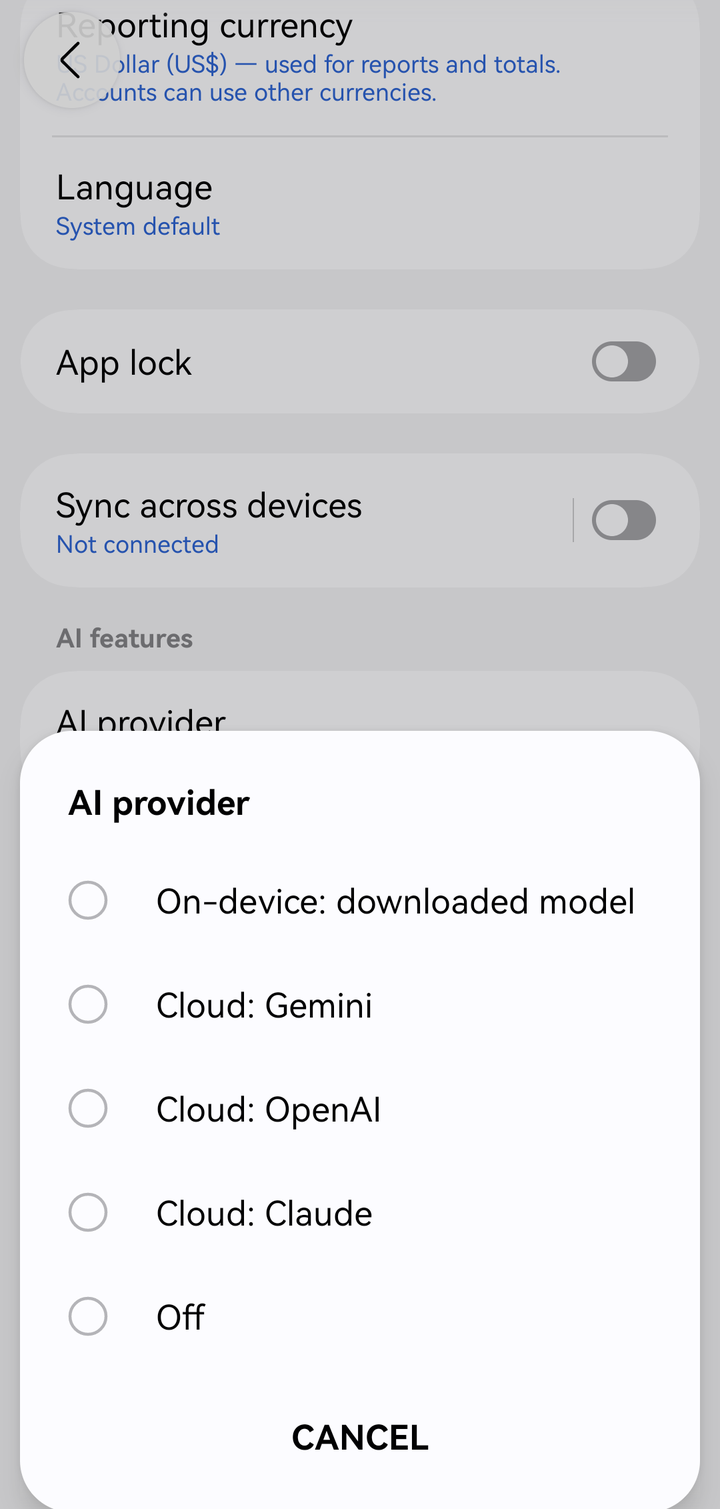
Choosing an AI provider
| Provider | Where it runs | You need | Good to know |
|---|---|---|---|
| On-device: downloaded model | Your phone | Space for a model download (several GB) | Private and free. Limited capabilities; performance depends on your device. Replies can take a few minutes on some phones. |
| Cloud: Gemini | A Gemini API key | Fast and capable. Uses your Google AI account. | |
| Cloud: OpenAI | OpenAI | An OpenAI API key | Fast and capable. Choose the OpenAI model. |
| Cloud: Claude | Anthropic | A Claude API key | Fast and capable. Choose the Claude model. |
| Off | — | — | AI features are turned off. |
Set up an on-device model
- Choose On-device: downloaded model.
- Tap On-device model and pick one.
- Tap Download model. The download continues in the background (Downloading… 45%). Use Wi-Fi: the files are large.
- When it shows Ready to use, you're done.
Processor is set to Automatic, which uses the GPU if it gives accurate results on your phone and the CPU otherwise. You can force GPU or CPU. To free up space later, use Delete downloaded model.
Set up a cloud provider
- Create an API key with the provider:
- Gemini: in Google AI Studio
- OpenAI: in the OpenAI platform dashboard
- Claude: in the Claude Console at console.anthropic.com
- In Accountant, choose Cloud: Gemini, Cloud: OpenAI or Cloud: Claude.
- Tap Gemini API key, OpenAI API key or Claude API key, and paste the key.
- For OpenAI and Claude, tap OpenAI model or Claude model and pick one. The list comes from the provider, so it includes their latest models.
Costs and privacy. Cloud providers bill your account with them, so check their pricing and usage limits. When you use an AI feature, the app sends what that feature needs, such as your question, the ledger figures the AI looks up, or a receipt's picture and text, only to the provider you chose. Your key is stored only on your phone, encrypted. Read more in the Privacy Policy.
Automatically add missing accounts
Automatically add missing accounts: when no account or category fits a transaction drafted from a chat or a scanned receipt, AI may add one as a Draft. Draft accounts become regular accounts once you post the transaction that uses them.
Common messages
| Message | What to do |
|---|---|
| The AI provider didn't accept your API key. | Check the key in AI settings. |
| Your AI provider account has no credits left. | Add credits in the provider's billing settings. |
| The AI provider's usage limit has been reached. | Wait for the limit to reset, or choose another provider. |
| The AI provider is busy right now. | Try again shortly. |
| This request is too long for the local model. | Ask a shorter question, or choose another model. |
Next: Using AI Accountant.